Bid Sheet Bidding
-
Bid Sheet Bidding
Auction Source completely automates your auction using bar codes to track guests and their bids. Guests use labels printed with their own unique bar code identifier to bid. This makes bidding easy, fun, and confidential, resulting in more frequent bids. With just a glance, guests immediately know whether an item has a bid.
Bid Sheet Bidding -288px -206px
Event
Package 1
-
Event Package 1
Personal training and support for our user-friendly Online Software System to catalogue items and register guests. Our services include a Planning Meeting, Event Production, Checkout training, and most materials. At the event, 2 Certified Technicians deliver, setup, and network the computers, train your volunteers, and stay until checkout is complete.
Event Package 1 -556px -206px
Touch System Bidding
-
iPad Bidding
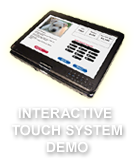
Automate bidding and provide a huge ‘Wow’ factor to your event with this state-of-the-art technology. Use the Touch Systems for Big Board and other high end categories along with bid sheets for silent auction or totally replace bid sheets altogether. Simply touch the screen with your finger, select an item, enter your bidder number, and place your bid!
Touch System Bidding -824px -206px
Event
Package 2
-
Event Package 2
Event Package 1 plus an additional Certified Technician and up to 10 iPad Systems. Use the Touch System technology for one or more of your high end categories.
Event Package 2 -1092px -206px
iPad Bidding
-
Wireless Bidding
Bid wirelessly anywhere in the event room with the iPad! With these, you can have volunteers roam the room enticing bidders. Everything that is available on the stationary iPad systems is available on the roaming iPads. These handheld, wireless devices give bidders the freedom to instantly monitor and place their bids.
iPad Bidding -1360px -206px
Event
Package 3
-
Event Package 3
Host a paperless silent auction! Personal training and support for our Online Software System plus 4 certified technicians and up to 30 iPads setup within your silent auction area along with the possibility of adding an iPad to each dinner table and our Bid by Phone feature to allow your guests to keep the bidding going throughout the event from just about anywhere in the room.
Event Package 3 -1628px -206px
Mobile Bidding
-
Mobile Bidding
Your bidders already use their smartphones for everything from checking emails to texting family and friends to finding a restaurant. Why not make it easy for them to use their smartphones to bid on auction items? Auction Source mobile bidding lets your guests enjoy both the silent auction and the party.
Mobile Bidding -1896px -206px
Online Data Management Software
-
Online Data Management Software
Web-based Online Data Management Software System powers our Online Letter System, Online Catalog, Online Event Registration, Event Production, Touch Systems, Check-in/Checkout, and Credit Card Processing. All features are uniquely integrated providing immediate updates once a record has been entered or revised.
Online Data Management Software -20px -427px
Online
Catalog
-
Online Catalog
Generate interest and anticipation with your custom Online Catalog. Include your event logo, details, and other links, such as registration and donations, along with unlimited photos of your items. Send an email with your catalog link for guests to quickly preview auction items or add the catalog link to your home page to keep continued interest.
Online Catalog -288px -427px
One-on-one Training
-
One-on-one Training
Representatives provide custom one-on-one data entry training for your staff or volunteers, along with unlimited phone and email support. A Planning Meeting covers specific event details and logistics to ensure each committee member is fully prepared. Training and support also covers the Checkout process and continues until your books are closed.
One on One Training -556px -427px
Online Event
Registration
-
Online Event Registration
Custom site includes logo with event night details and the option to sell sponsorships, event tickets, raffle tickets, T-shirts and more. Online purchases are simultaneously processed and entered into your database with an email receipt sent to you and your guest. Simply print the link on your invitations, send it in an email, or post it on your home page.
Online Event Registration -824px -427px
Check-in and Checkout
-
Check-in and Checkout
Onsite Certified Technicians professionally manage your event and are available to assist with last-minute production of event materials, as well as provide training to Check-in and Checkout volunteers. After hundreds of various event types, our procedures produce the most efficient and accurate Check-in and Checkout processes.
Checkin and Checkout -1092px -427px
Event
Production
-
Event Production
Bar code bid sheets and guests’ bar code bid stickers are printed at our Auction Source offices using high speed printers. We also print and provide materials for item plaques, gift certificates, and labels. Each client and their Auction Source Representative have their own room for printing and assembling bidder packets and bid sheets.
Event Production -1360px -427px
Bar Code Advantage
-
Bar Code Advantage
Our bar code technology for silent auction bidding paves the way for an efficient auction from beginning to end. Scanning bid sheets prior to checkout is virtually error-free and allows invoices to be printed at the touch of a button. Volunteers find scanning much more enjoyable and quicker than typing in numbers.
Bar Code Advantage -1628px -427px
Event
Staffing
-
Event Staffing
Short on volunteers? Auction Source can provide the professional staff you need prior to and the day of your event. Our experienced and professional temporary placements provide assistance with a wide variety of services such as data entry, event production, Check-in and Checkout, silent auction section monitoring, and more!
Event Staffing -1896px -427px
Auction Source
-
Auction Source
More than twenty years of experience along with over 1800 auctions and fund-raising events have provided us with the knowledge to support events of any magnitude and design. Our client base consists of nonprofit agencies, private and public schools, chambers of commerce, and private foundations raising money and awareness.
Auction Source -20px -206px

© 1998-2024 Auction Source L.P. All rights reserved. Privacy Policy